 Why Block
Works for everyone
No blockers or special DNS needed. A plain-language headline says what’s wrong (a server error, a broken certificate, your network blocking the site, or your browser’s own protection) and what you can do about it.
Designed for the privacy/security conscious user. Why Block assesses what functionality may be limited on a page, and which privacy/security controls may be causing a site to not function properly.
Version 1.7.0 · Free · Firefox 140+ (on Firefox Browser Add-ons) and Brave or other Chromium-based browsers · How to install
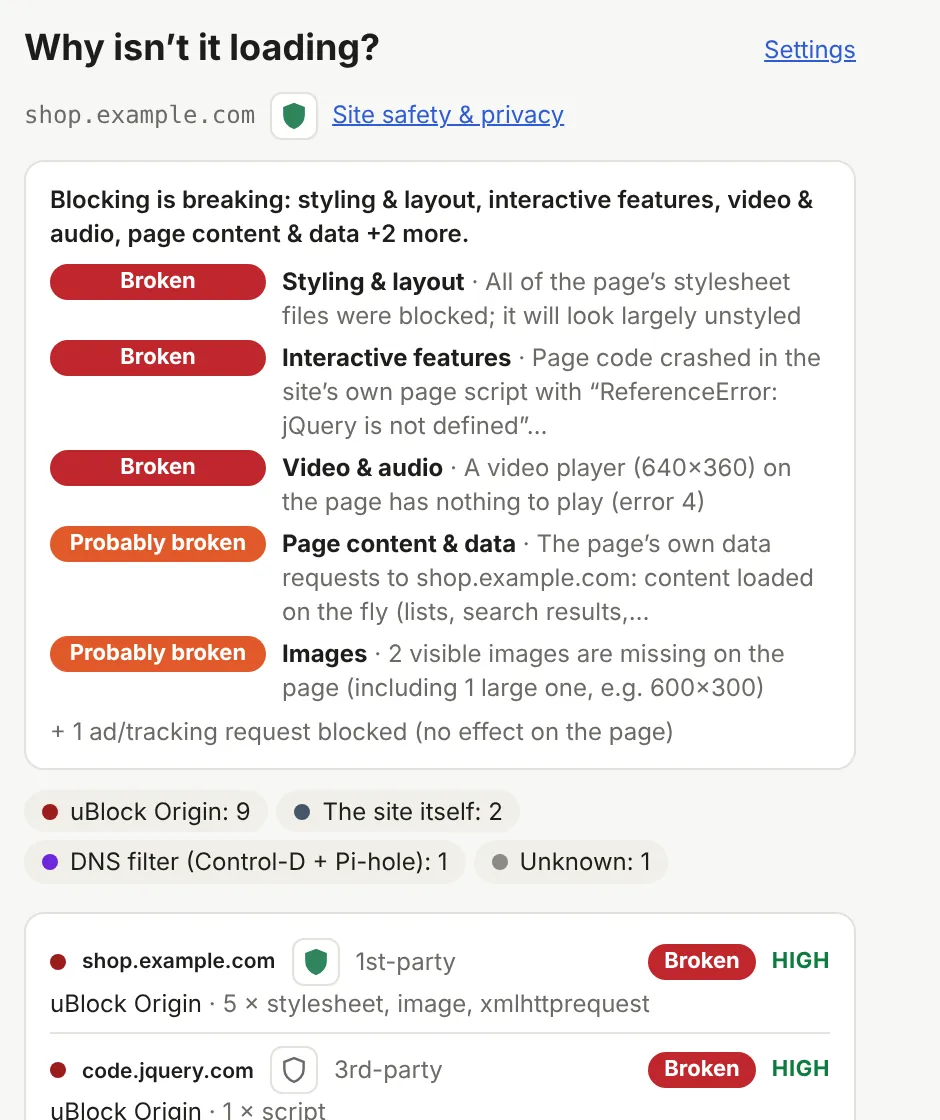
Privacy tools stack up: a content blocker, a script blocker, the browser’s own protection, and a filtering DNS. When a site breaks, any of them could be the reason. Why Block watches the page load and tells you which one, and what it broke.
No blockers or special DNS needed. A plain-language headline says what’s wrong (a server error, a broken certificate, your network blocking the site, or your browser’s own protection) and what you can do about it.
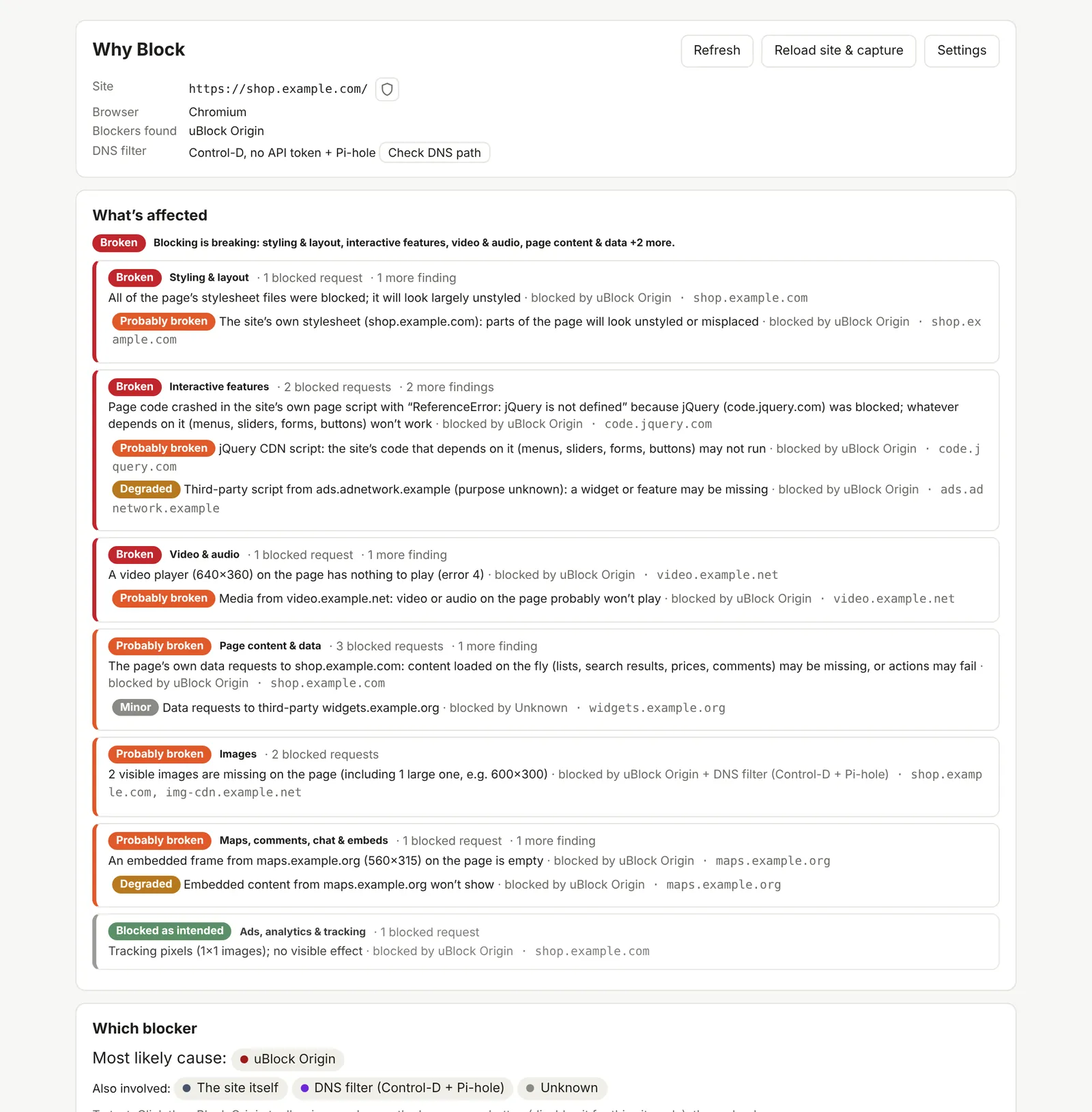
Every blocked or failed request is traced to its most likely cause: Brave Shields, Firefox Tracking Protection, uBlock Origin, Privacy Badger, NoScript, your DNS filter, or the site itself, with a confidence level.
Missing styles, crashed scripts, videos with nothing to play, empty embeds, missing images, failed logins or captchas, rated from “Broken” to “Blocked as intended”, so you can tell real breakage from tracking you’re glad to lose.
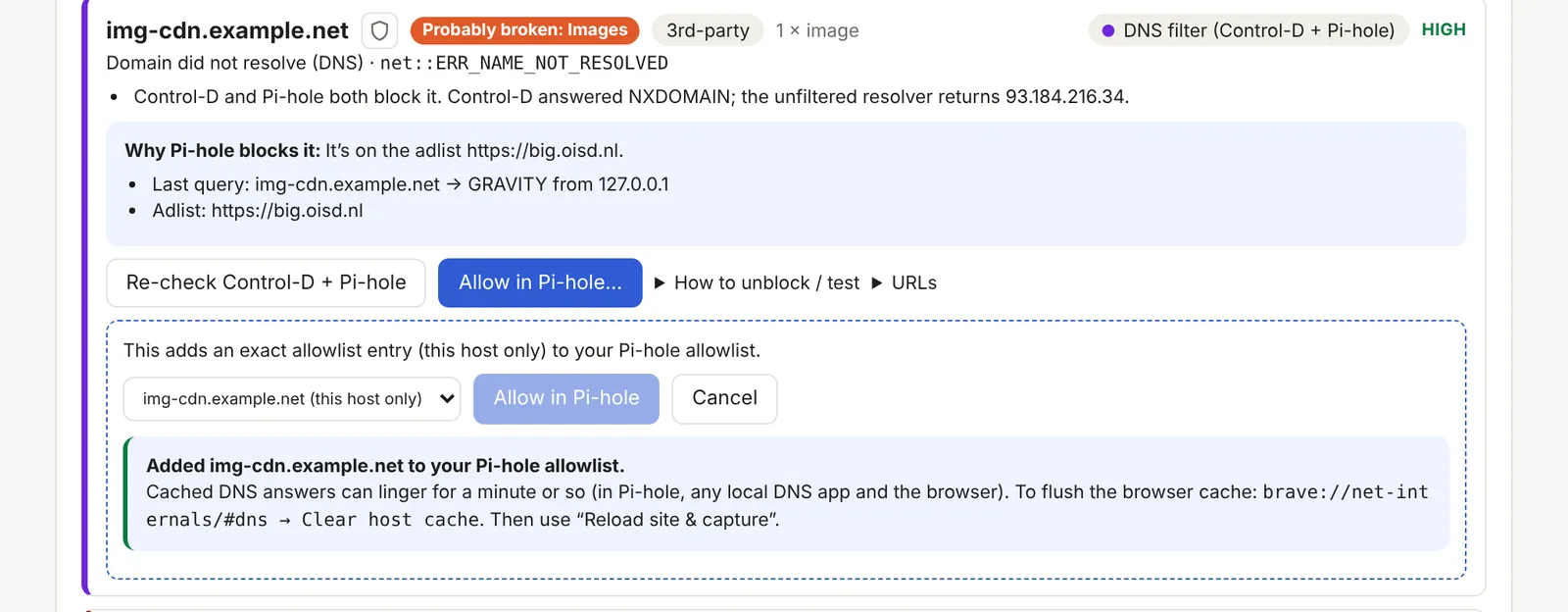
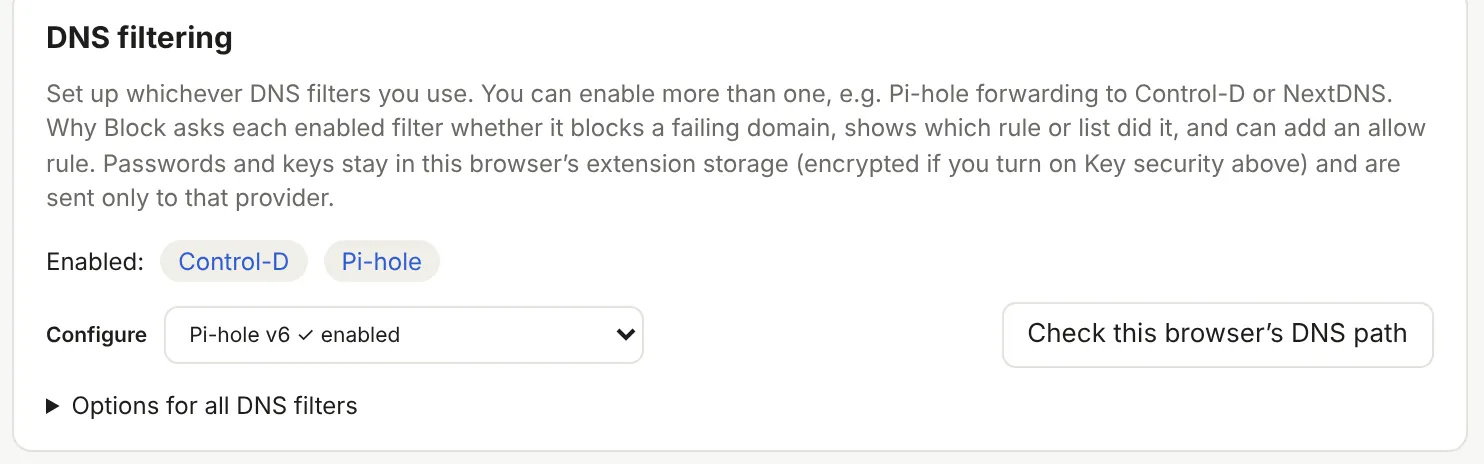
Checks failing domains with Control-D, NextDNS, AdGuard DNS, AdGuard Home or Pi-hole, explains which rule or list blocks them, and adds an allow rule in one click.
An automatic test in Brave and other Chromium browsers reloads the page with each extension switched off in turn, then switches them back on. Whatever stays blocked with all of them off is Brave Shields. In Firefox, a guided compare does the same.
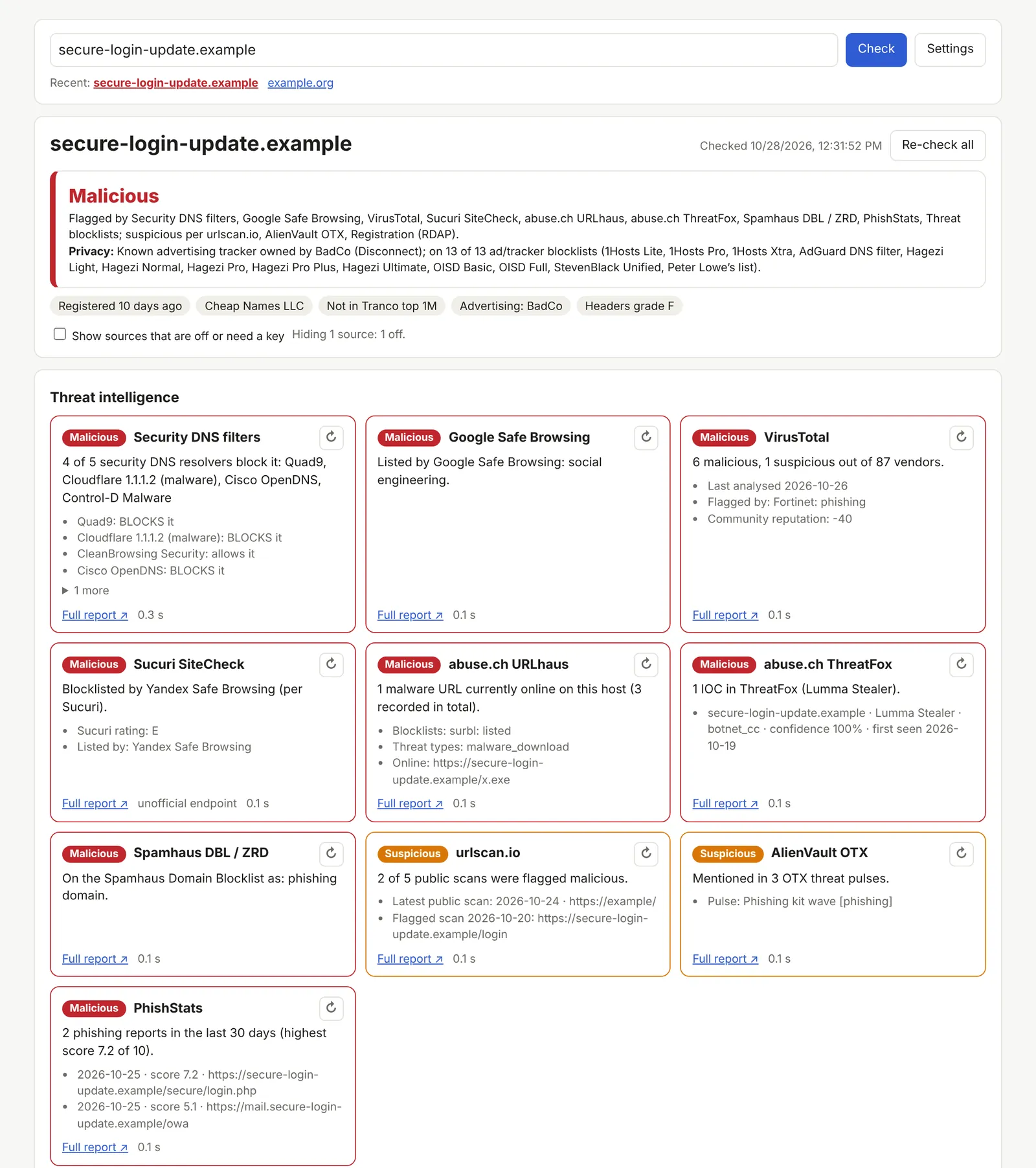
One click on the shield next to any domain checks it against security DNS filters, Google Safe Browsing, VirusTotal, Sucuri, abuse.ch, Spamhaus, urlscan.io, AlienVault OTX, PhishStats and more, with a plain-English verdict.
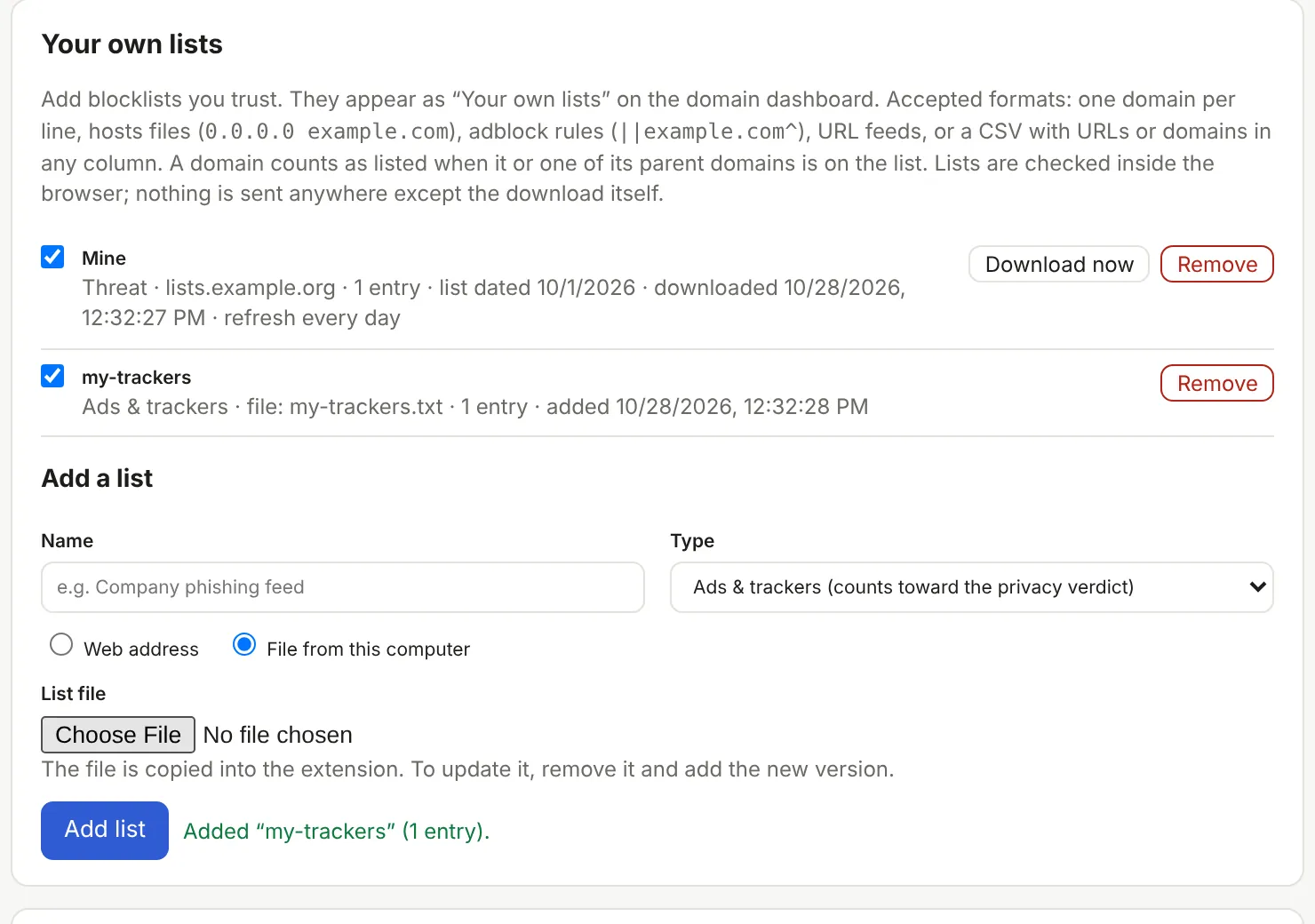
Threat feeds (Phishing.Database, The Block List Project, DigitalSide, Phishing Army, OpenPhish, Hagezi), popular ad and tracker lists, and any list you add by web address or file.
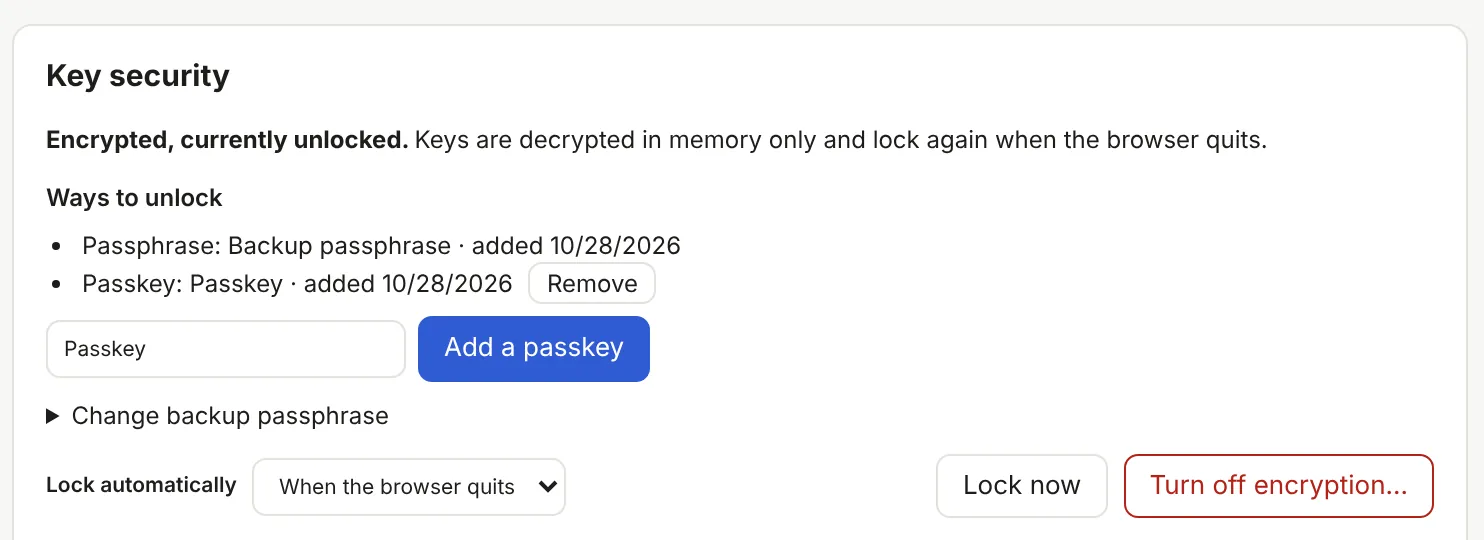
API keys and passwords can be encrypted with AES-256-GCM and unlocked with a passphrase, or in Brave and other Chromium browsers, a passkey (Touch ID, iCloud Keychain, a security key).
Save your whole setup, including your own lists and, if you like, your keys, to one password-protected file. Restore it in another browser or on another computer.
Why Block doesn’t block or change anything on its own. It only watches what your other tools did, and changes a setting only when you click Allow.
Shown with demo sites. Click any image to see it full size.
Firefox 140 or later. Installs from Firefox Browser Add-ons and updates automatically.
Add to FirefoxA download you install yourself, in a few clicks (see below).
why-block-chromium-1.7.0.zipWorks with Chromium-based browsers such as Brave, Chrome, Chromium, Edge, Opera and Vivaldi.
Extensions page: brave://extensions in Brave, chrome://extensions in Chrome and Chromium, edge://extensions in Edge, opera://extensions in Opera, vivaldi://extensions in Vivaldi.